With the advancement of technologies and nowadays even more with the use of AI, teams have access to more tools than we could even possibly thought few years ago.
IRP and CRM platforms, document systems and structures, project trackers, and collaboration apps are now being seen as a real part of the modern workplace. In theory, this sounds that these new features, applications, and platforms would make work easier. Our ways of communicating would be faster. Information should be easier to find, access and share. And collaboration should feel seamless.
But it is not actually what we see during our consultations, and what is actually happening currently.
Despite having all these tools available, many teams still struggle with communication, coordination, transparency, and process standardization. Many messages get missed and are not responded to. Documents live in different folders, for example, online, desktops, on cloud, etc. People use most of their time searching instead of working.
Again, the main problem that we have been mentioning is that our most recent posts are most probably beyond the tools themselves.
More often, it appears how those tools are used within different levels of team member knowledge, and how (or whether) these tools work well together.
Over time, most organizations naturally navigate towards so many demands and trends, and accumulate so many tools that were not even aligned with the objectives of the business or department.
Generally, it starts with a simple department or individual request. Then the team starts using one tool for communication. Another for storing and sharing their documents. Then something else for tracking tasks, activities or projects. And then, they realize they need another platform for reporting or workflows.
Individually, it seems that each tool makes sense.
But together, they can break down the organizational structure and create misinformation, rework, and finally fragmentation.
Instead of improving collaboration with a smooth process flow, the result is probably the opposite:
In some cases, people even create personal ways of keeping their own trackers or notes, just to stay organized.
That’s usually a sign the system isn’t working as intended.
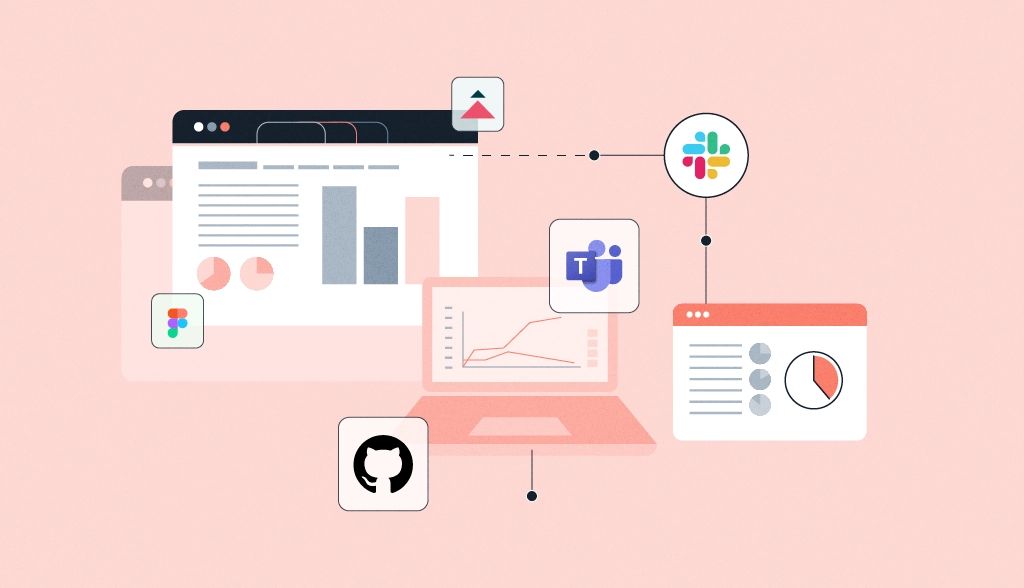
To be able to perform well, expecting good collaboration as a result is really hard. What actually counts is not only about how many tools you have in your IRP system. It’s about having clarity on how to take the most from the tools and applications that you already have, without the need to add more and more applications to your inventory.
There are a few important elements that can drive your organization to effective collaboration:
When we see these items in place, teams don’t need to count on constant follow-ups or informal updates since they have all the information easily accessible in their hand. Team members know where to look and find what they need, what to expect, and how smoothly tasks move from one step to the next one.
Tools are supposed to support this transparency, and not add other layers of complexity.
In many organizations, especially those using Microsoft 365, collaboration is built around integrating core tools.
And each one plays their role in this process.
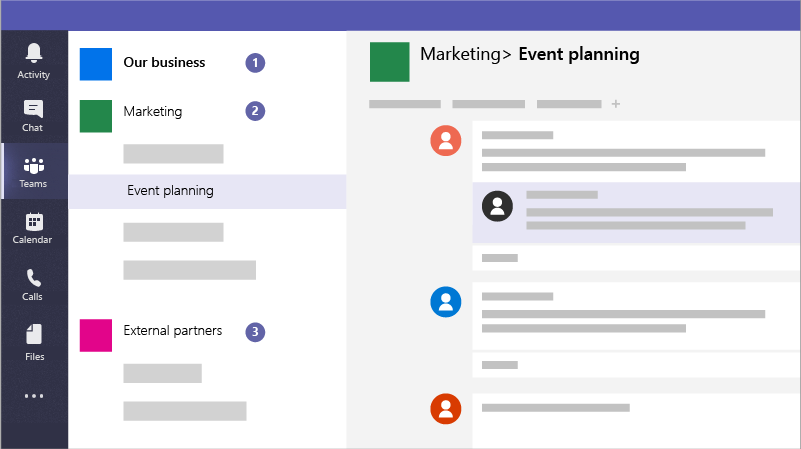
Teams is the application from Microsoft where the communication among your team members, activities, projects, different departments and areas happens. You can even add external interested people to your company there. We can say that Teams is the main hub for your daily basis communication and sharing information and documents, as it links to Sharepoint.
You can search and find actual and historical conversations, you can schedule and join meetings, and you can link it with your Outlook calendar and check your schedule there. What is more, you can scan your channel posts quickly to get updates in one place. You don’t have to count on heavy and long email threads. You can also organize discussions by channels, keeping topics organized, tagging team members for faster responses and making it easier and faster to follow.
That means, the groups part of Teams are helped with:
It also creates a more transparent space for collaboration, where information is shared without worry and urgency than staying in private inboxes or chats.
SharePoint acts as the foundation for document management.
It provides a centralized location where files are stored, organized, and accessed easily by team members.
With SharePoint, teams benefit from:
When used well, it reduces confusion and makes it easier to find the right information at the right time.
The main role of Microsoft Lists is to support tracking.
While spreadsheets are often used for this purpose, they can quickly become difficult to manage and also really fragile if team members have different levels of knowledge. Lists offer a safer and more visible way to track information.
It works well for:
Because Lists integrates with Teams and SharePoint, it becomes part of the broader system rather than an individual tool.
Planner and Loop support task management and team shared work in different ways.
Planner works suporting traking and managing tasks, often using boards and buckets. It’s useful for teams that need a clear overview of responsibilities, timeframes, budget traking, and progress.
Loop, on the other hand, can be used for more flexible work. Usually Loop can be used more for a to do list, taking notes, or a workspace for shared information. Teams can work together in content live, share components across applications, and keep work dynamic.
Together, these tools help teams:
The main benefit of these tools is not how good they are on their own. Actually, it is how they can integrate and connect, working live.
For example:
When these interactions are in place, work starts to flow more naturally.
You spend a lot of time jumping between different systems, different windows and interfaces; teams can work with a more unified environment. Information moves with the work, rather than getting lost along the way.
HumanFlow Collaboration helps teams make their digital environment simpler and easier to use.
Instead of introducing and adding more tools, the goal is to make better use of what’s already available.
This includes:
When systems and workflows are light and easy to understand, adoption becomes easier.
Collaboration is not about having the latest state-of-the-art tools or the most advanced features.
It’s about creating a workplace where work can move smoothly.
Where:
When tools support these outcomes, teams don’t feel overwhelmed by change and innovation.
Instead, they can focus on what really matters, working together effectively.